
 Sheet Metal Export
Batch DWG/DXF from assemblies and single parts
← All modulesAyense Works · Sheet Metal Export
Create production-ready DWG/DXF files from an assembly or a single part.
Define your production rules once instead of opening every sheet metal part manually, then create every flat-pattern output through one controlled workflow.
UP/DOWN, protected-sheet direction and K-factor checks
Custom marking, bend indicators and a live status list
Excel and PDF production reports
See the workflow step by step.
Each screen presents the information you need at the right stage of production preparation.
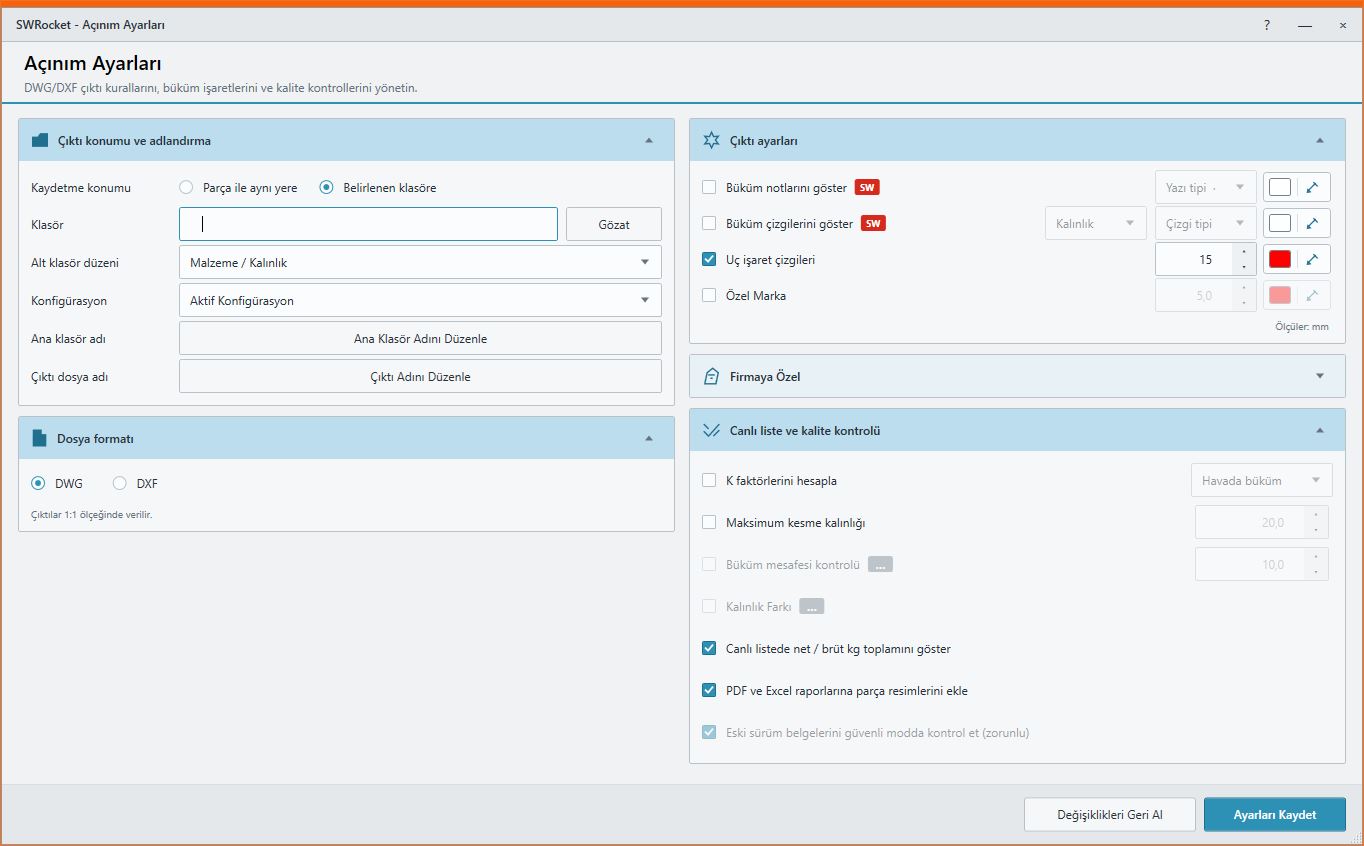
01
Sheet Metal Export settings
Manage production and output rules from one screen.
Batch DWG/DXF from assemblies and single parts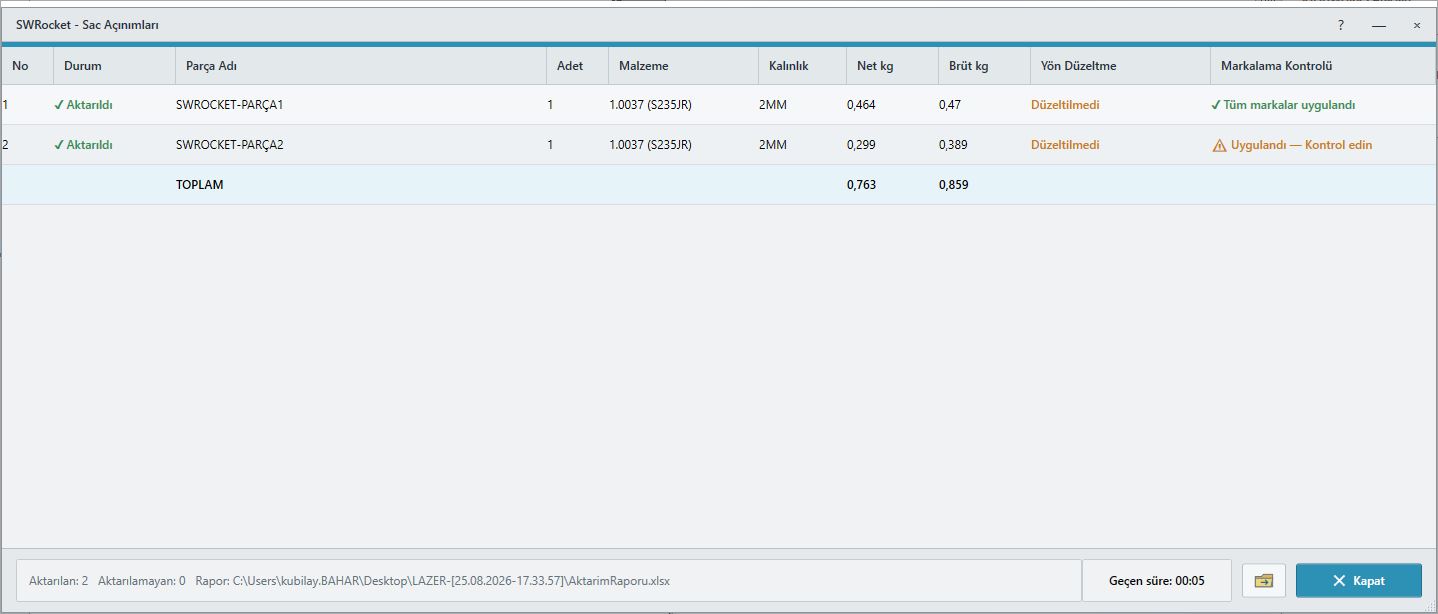
02
Sheet Metal Export live report
Follow operation status and results from the live list.
UP/DOWN, protected-sheet direction and K-factor checks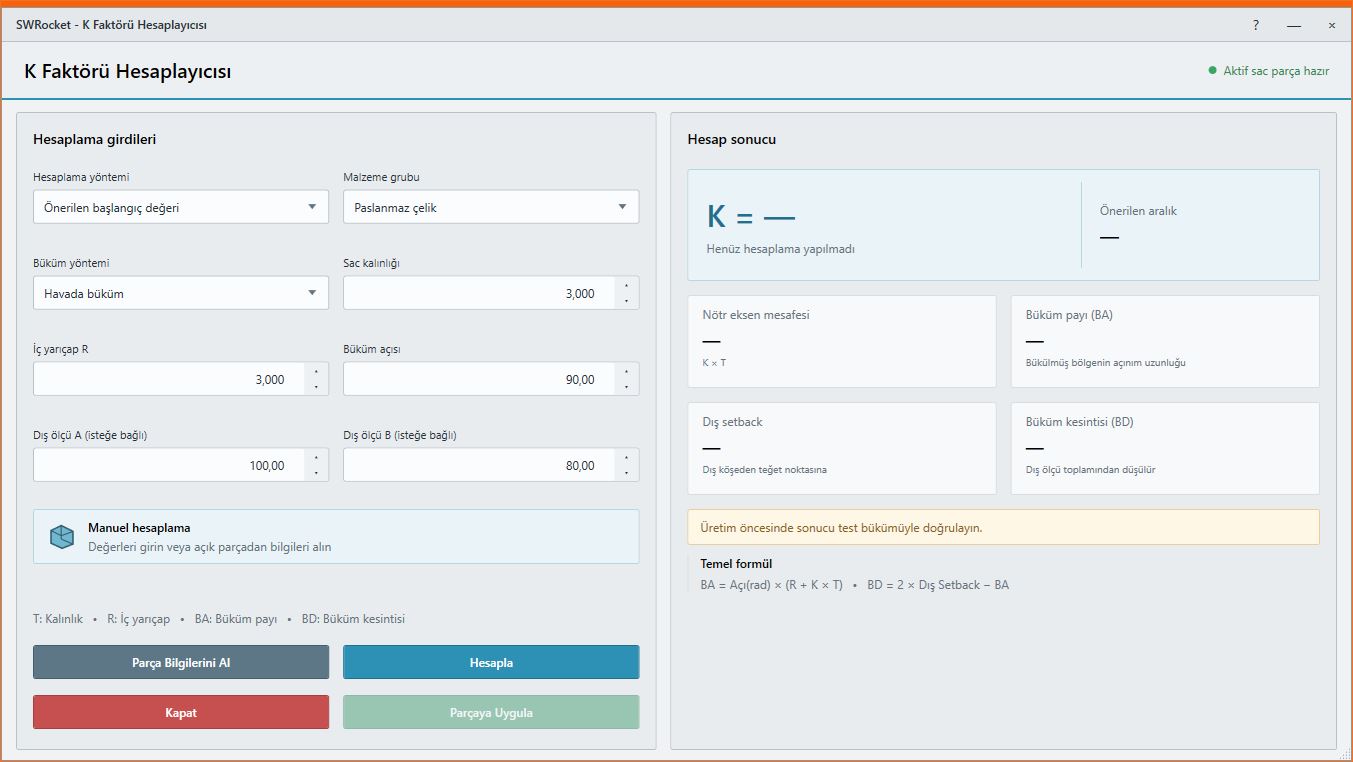
03
K-factor calculator
Calculate K-factor and bend values using thickness, inside radius and bend angle.
Custom marking, bend indicators and a live status listWORKFLOW
A controlled result in three steps.
Direction checks · Custom marking · K-factor
- 1STEP 01Open the SOLIDWORKS document
- 2STEP 02Choose flat-pattern and output rules
- 3STEP 03Create controlled production files
MEET Ayense Works
Request a trial →