

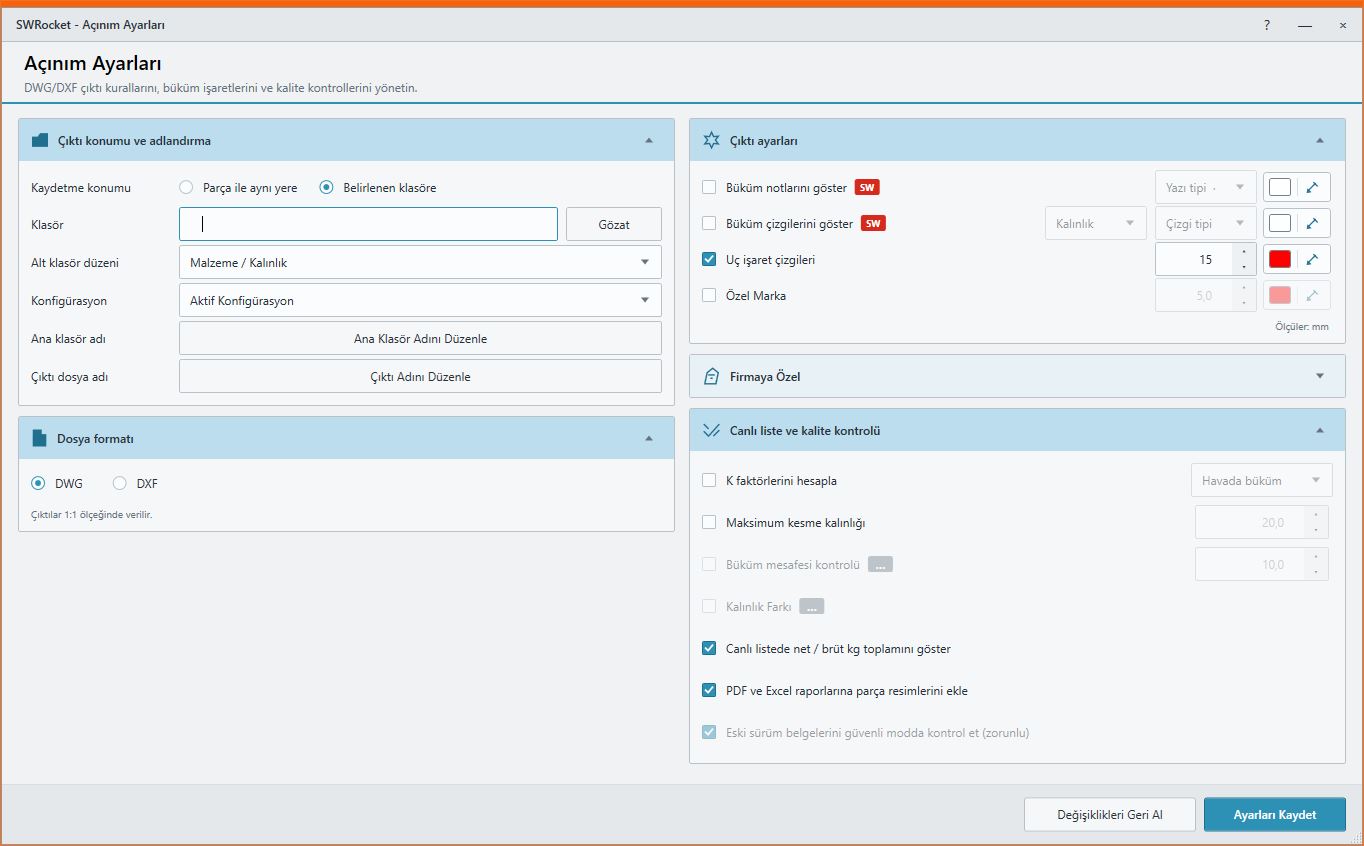
Sheet Metal Export
Create production-ready DWG/DXF files from an assembly or a single part.
Direction checks · Custom marking · K-factorDefine your production rules once instead of opening every sheet metal part manually, then create every flat-pattern output through one controlled workflow.
Ayense Works does more than export SOLIDWORKS model data. It brings your production rules, validation checks and reporting standards directly into the workflow.
Let us review your workflow together →Every module shares the same visual language, safe processing approach and reporting structure.
Create production-ready DWG/DXF files from an assembly or a single part.
Direction checks · Custom marking · K-factor
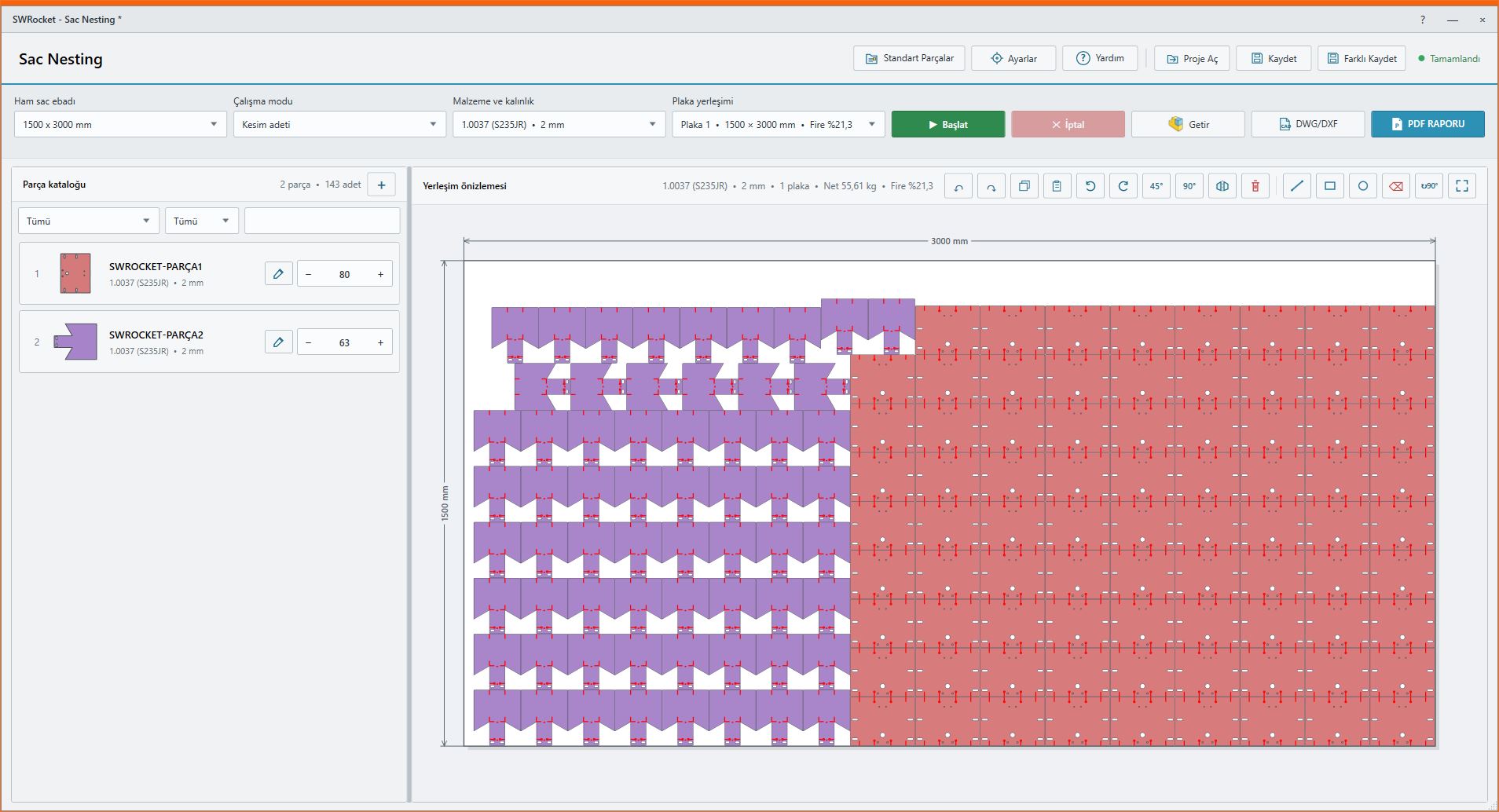
Create, edit and report sheet layouts using real part contours.
Smart placement · Scrap control · Project files
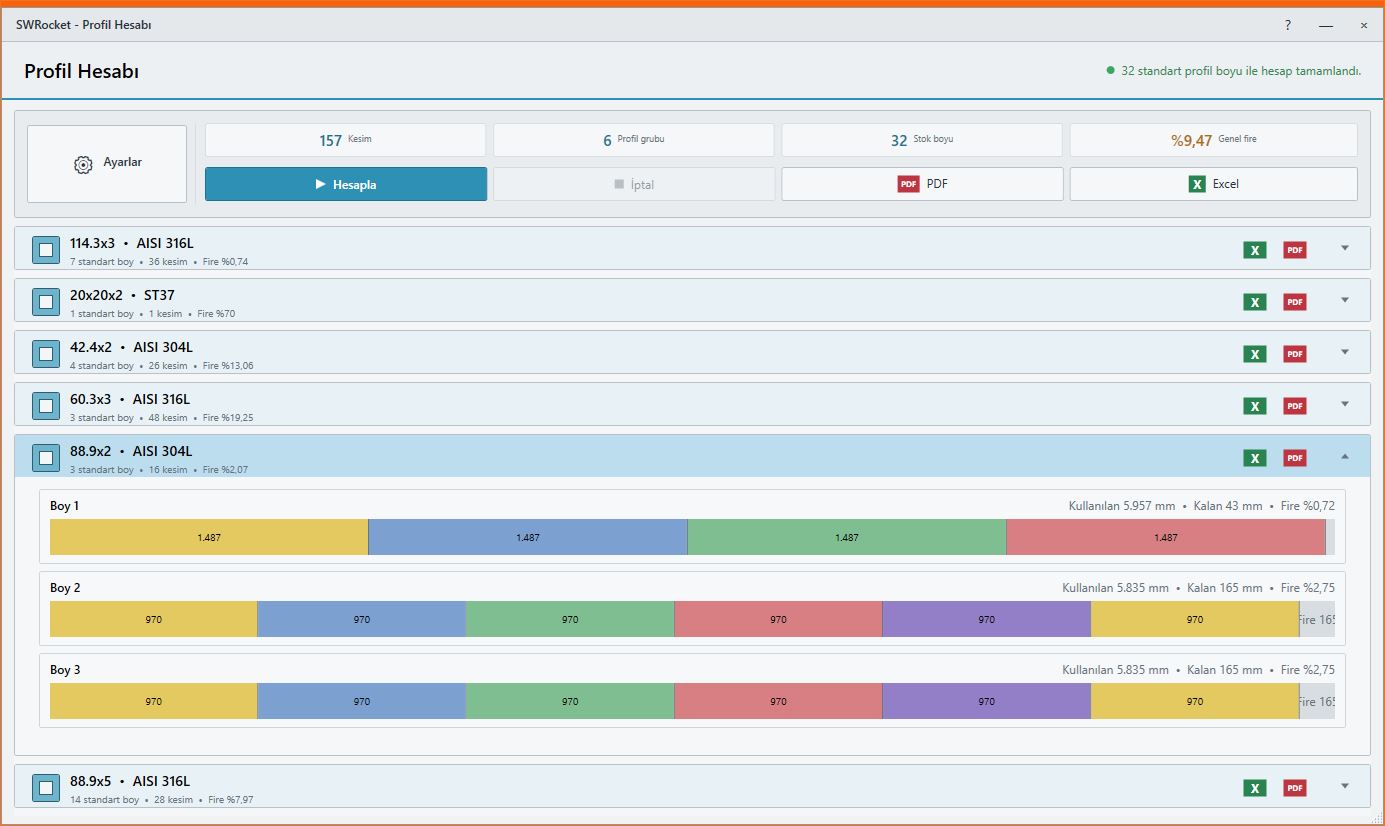
Optimize stock lengths and create visual profile cutting plans.
Kerf · Cutting order · PDF / Excel
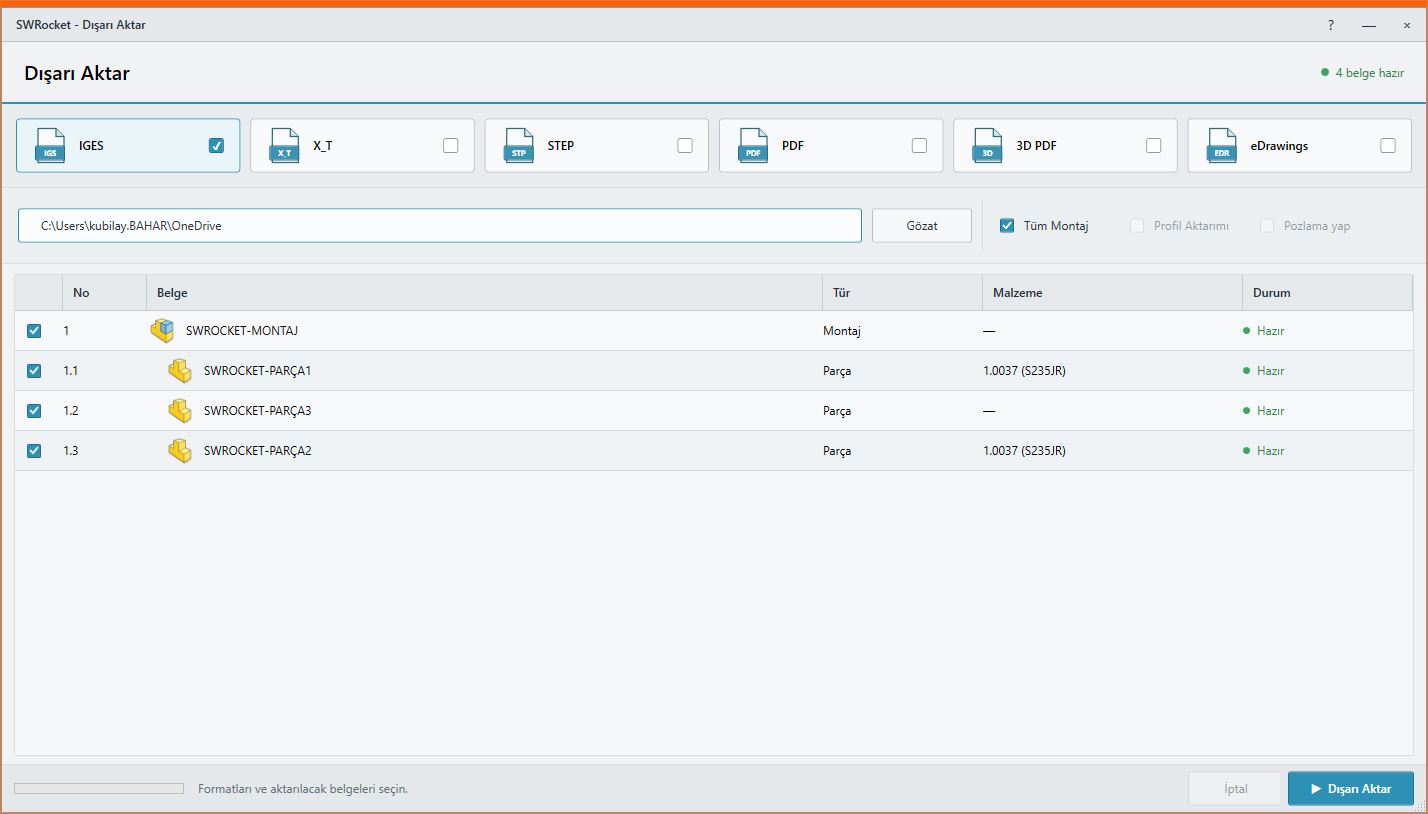
Save assemblies and parts in selected production formats in one operation.
STEP · PDF · 3D PDF · eDrawings
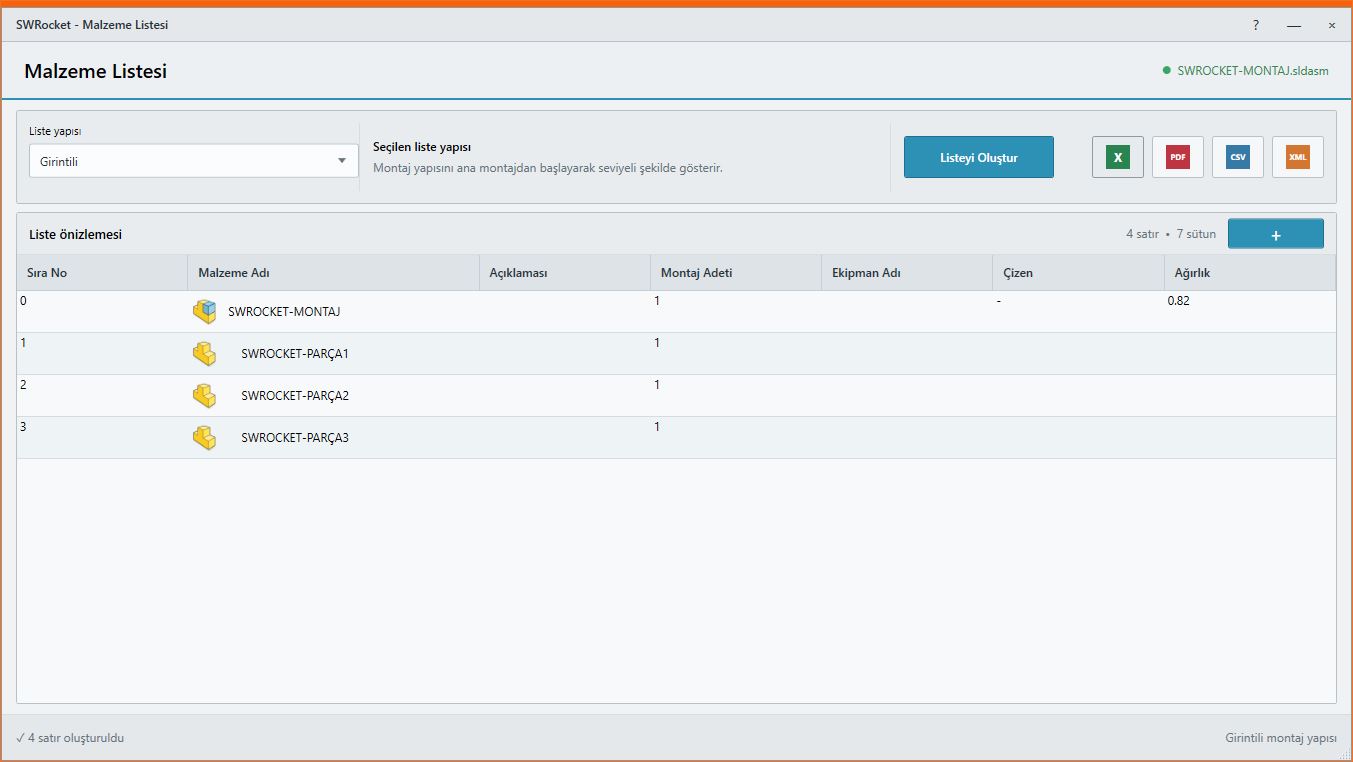
Turn assembly trees, quantities and production data into organized tables.
Tree view · Excel · Visual report
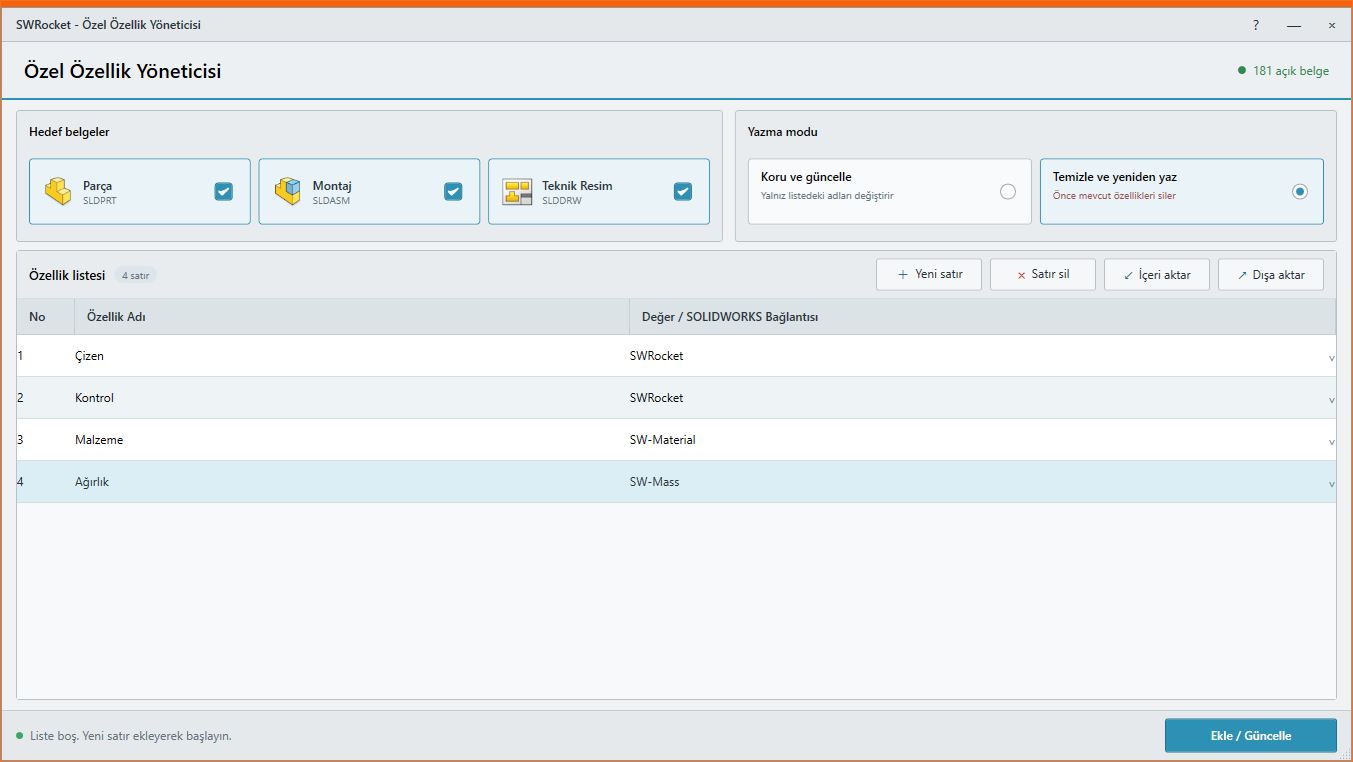
Manage part, assembly and drawing properties in one workspace.
Batch editing · Company standards
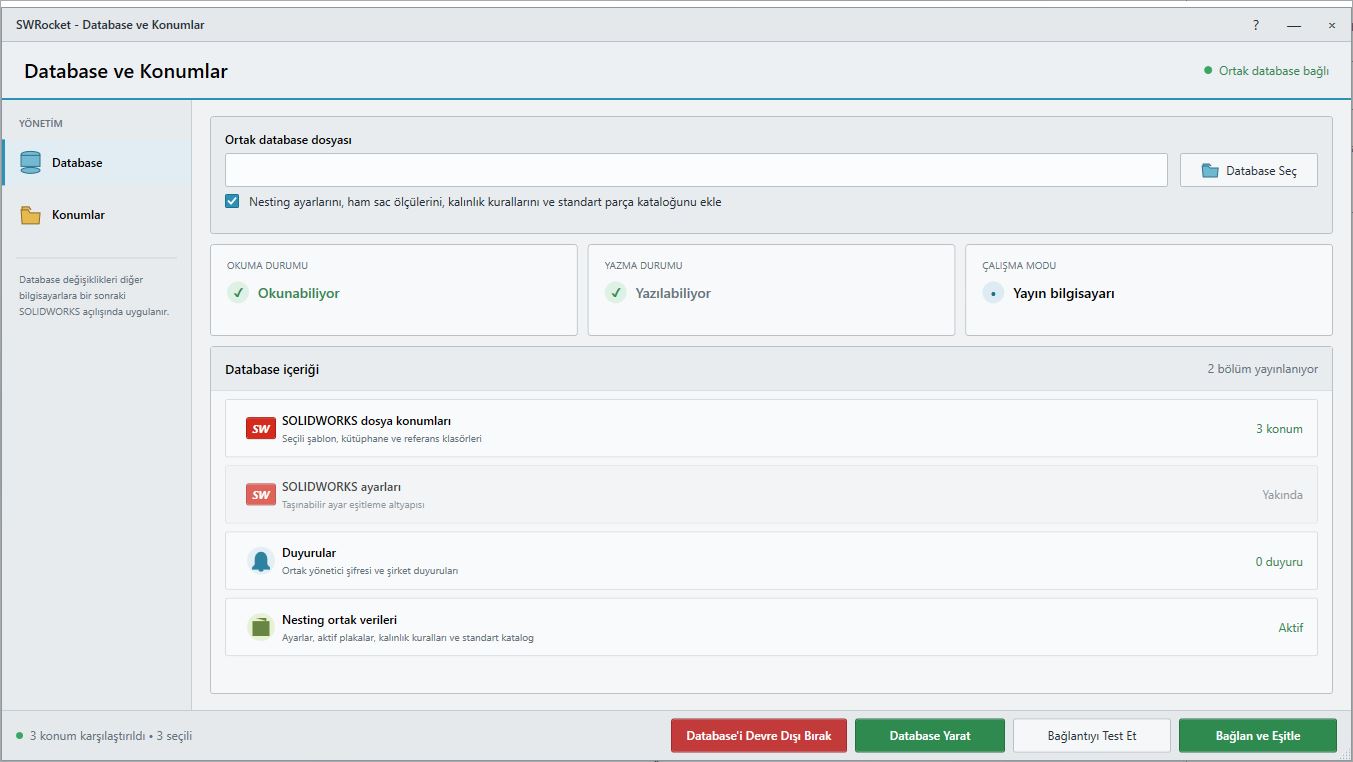
Share team settings and selected SOLIDWORKS file locations in a controlled way.
Shared settings · Startup synchronization
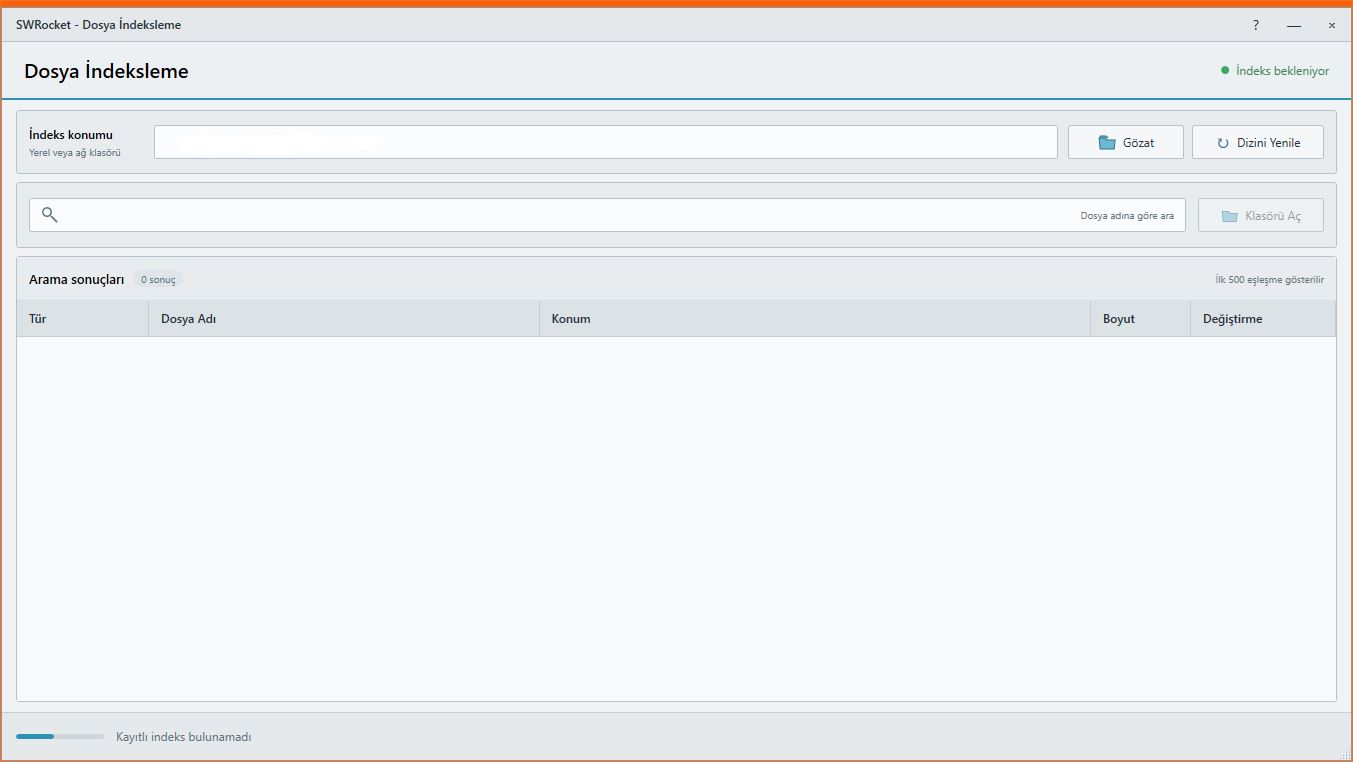
Search millions of files on local drives or servers quickly.
Subfolders · Fast filters · Persistent index
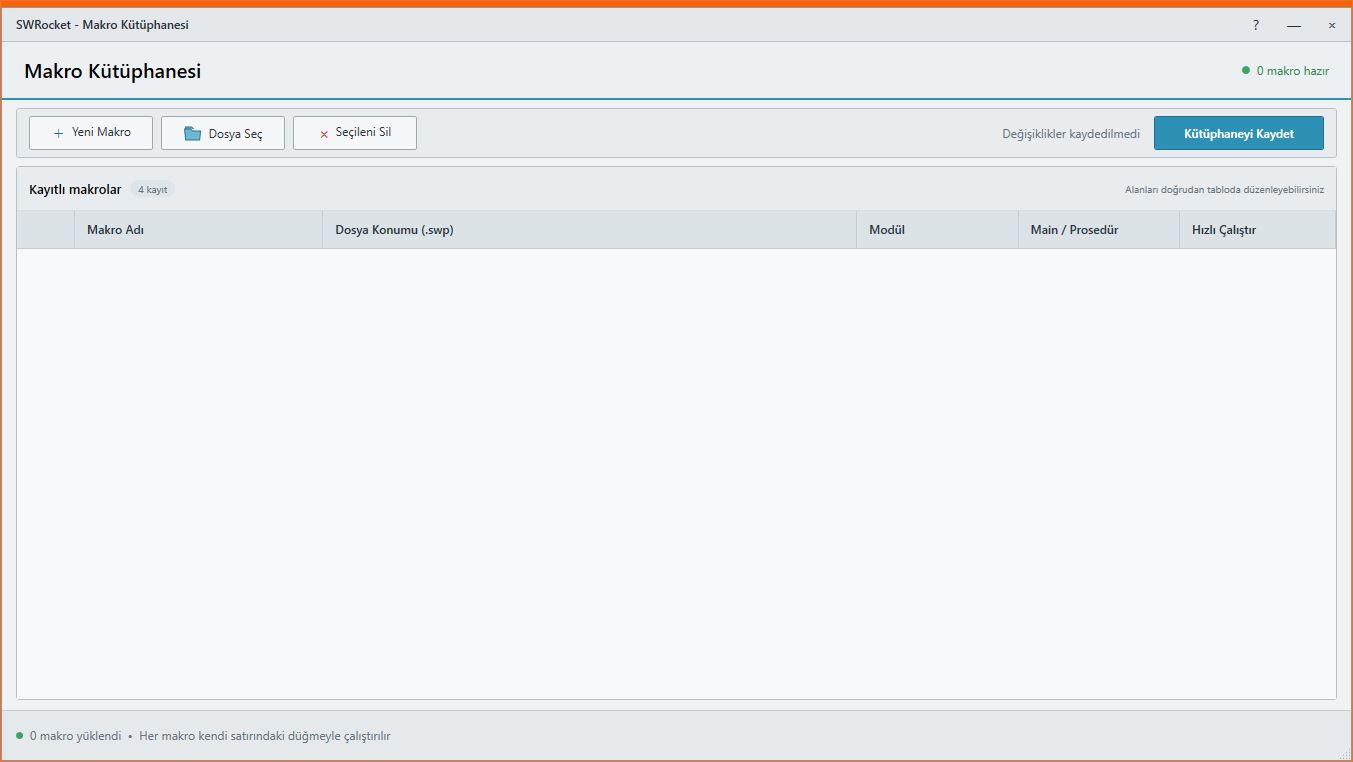
Keep frequently used SOLIDWORKS macros in one organized library.
Library · One-click launch · Editing
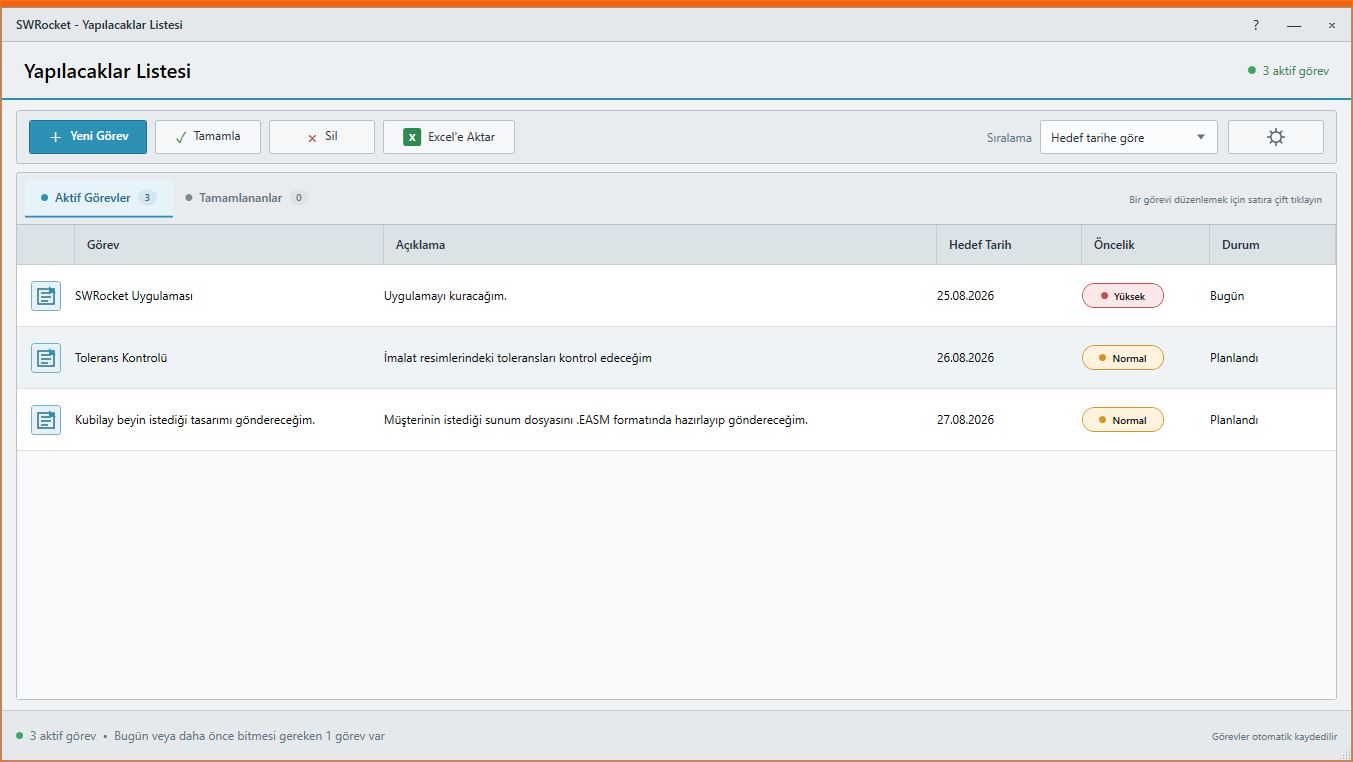
Track personal tasks, priorities and progress without leaving the SOLIDWORKS environment.
Task tracking · Priority · Excel report
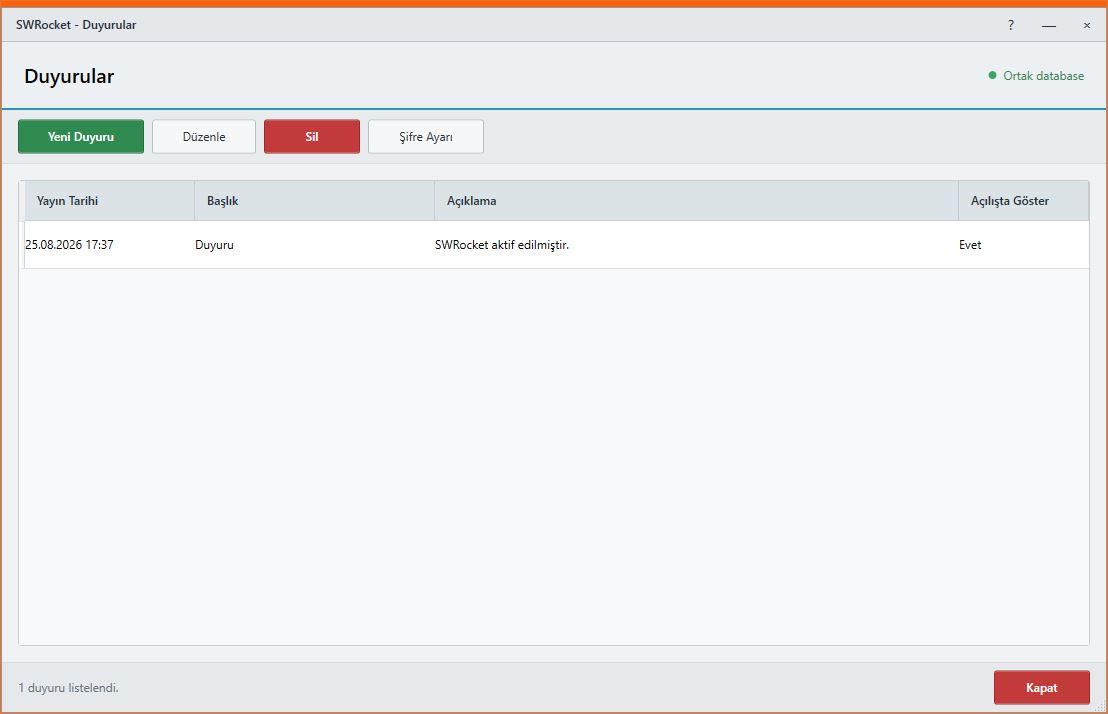
Publish shared information for engineering and production teams.
Startup notice · Central management · Tracking
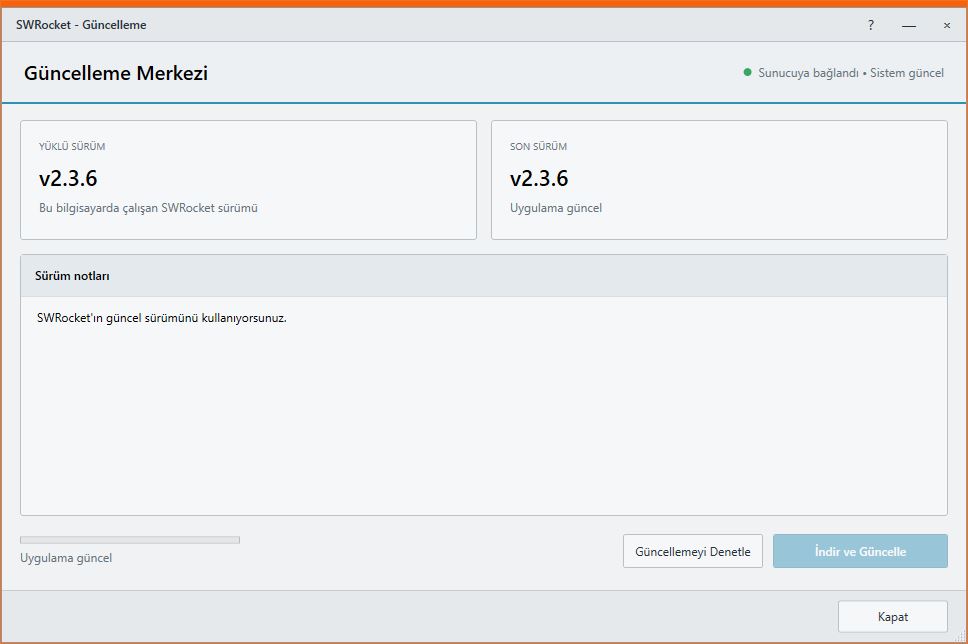
Receive new features and security improvements directly in the application.
Automatic checks · Verified downloads · Always currentScroll to see real Ayense Works workspaces and the checks each tool adds to your production workflow.
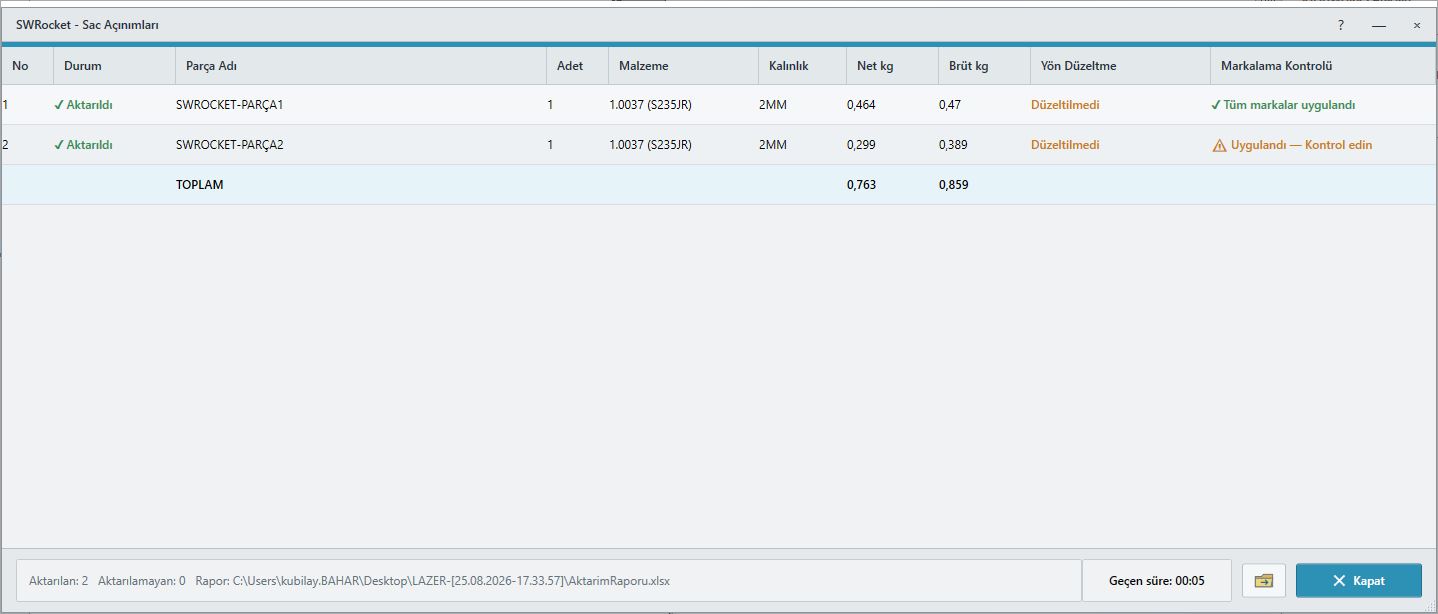
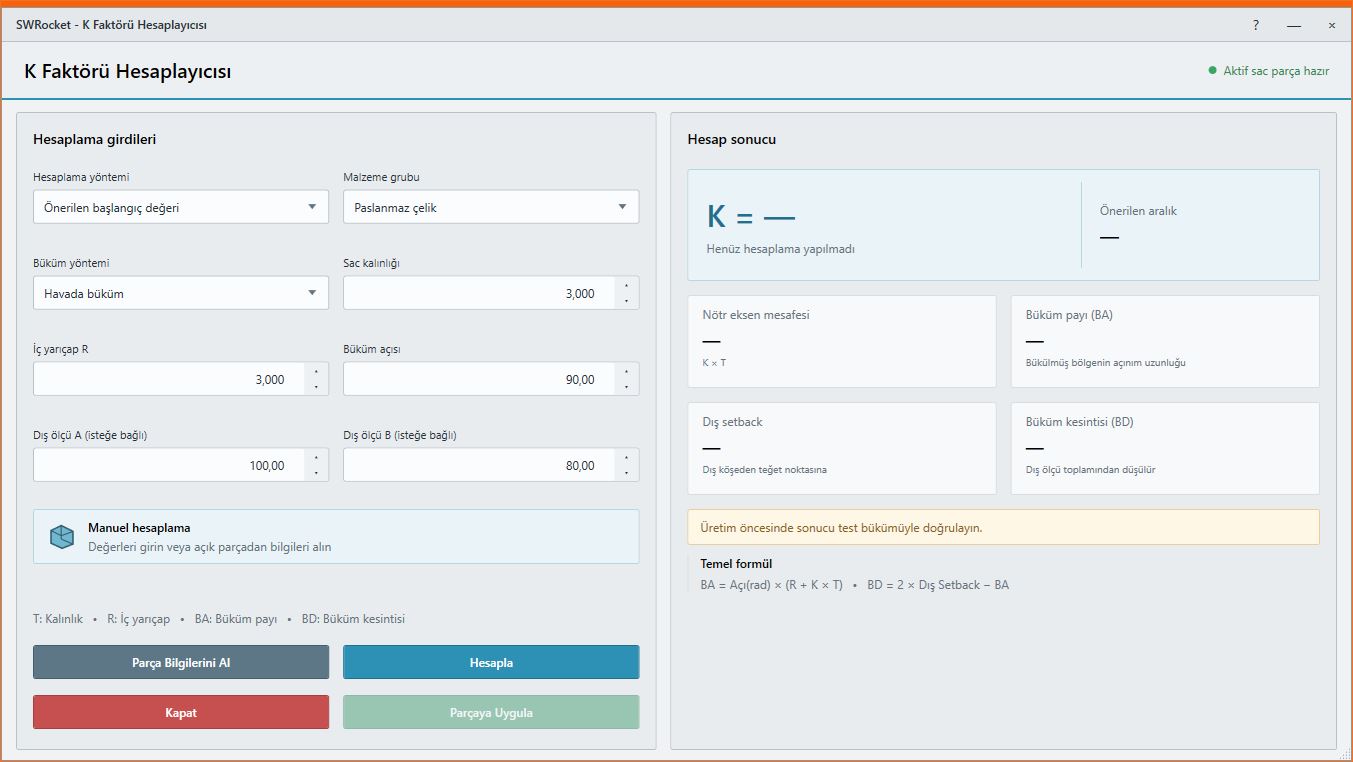 Direction checks · Custom marking · K-factor
Define your production rules once instead of opening every sheet metal part manually, then create every flat-pattern output through one controlled workflow.
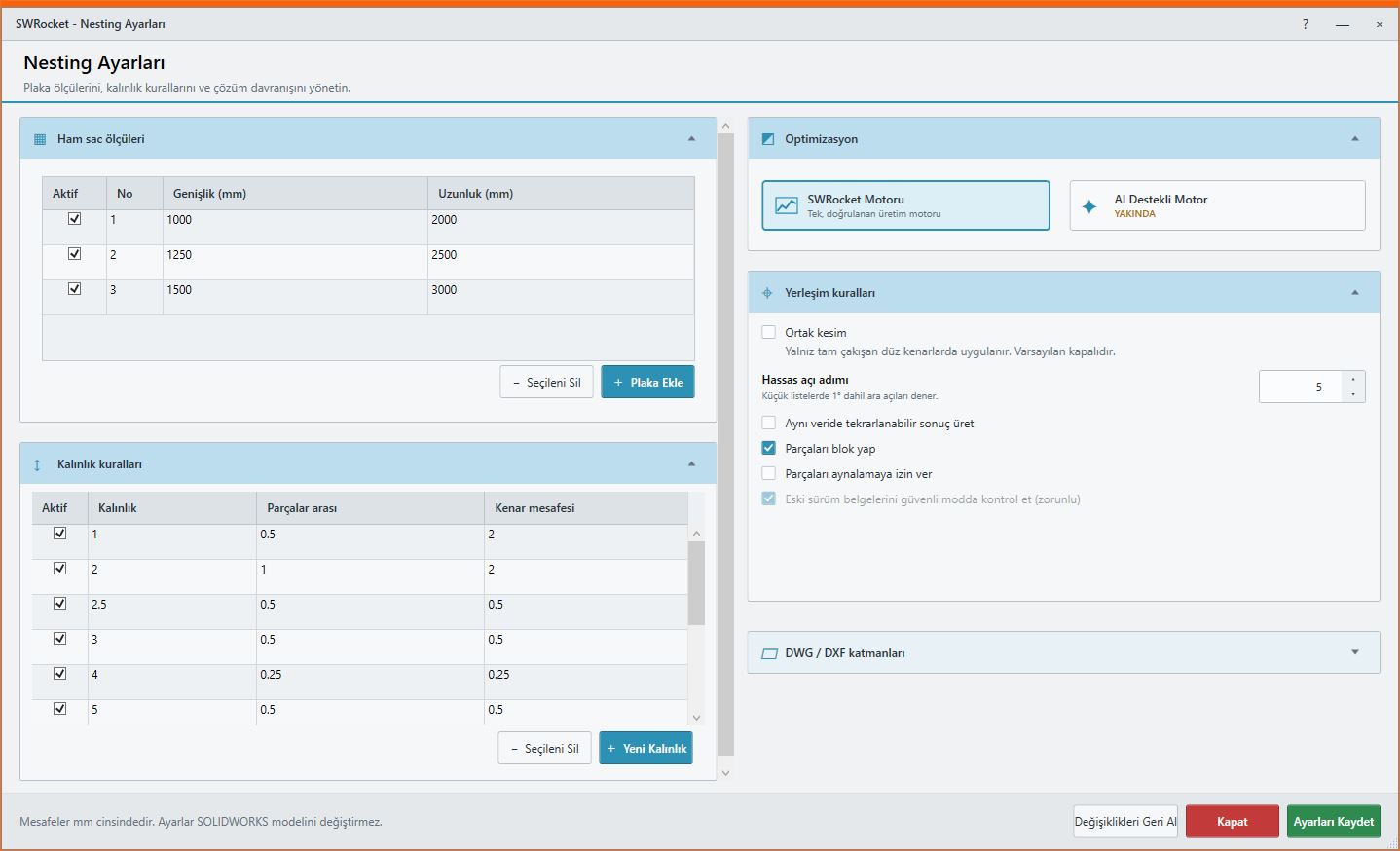
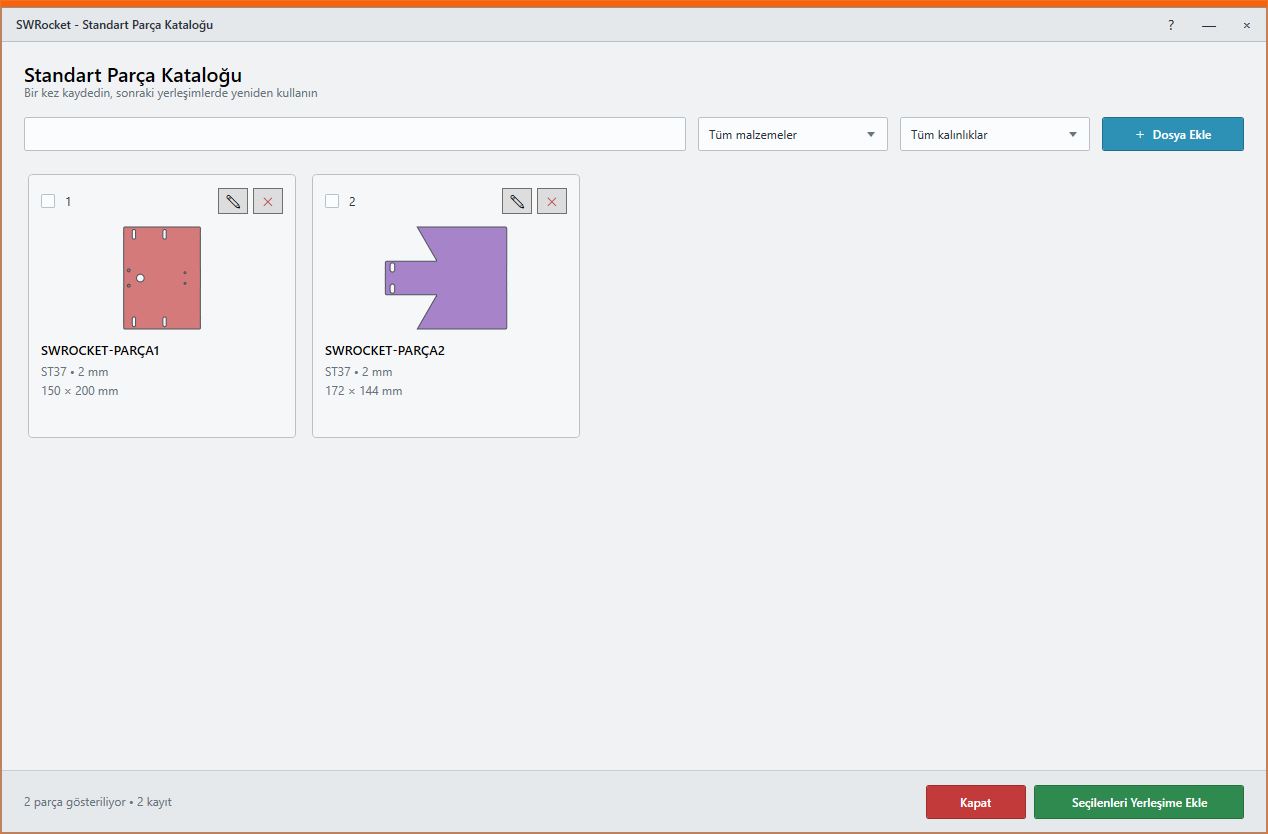 Smart placement · Scrap control · Project files
Group contours by material and thickness, place them automatically, refine the layout manually and reopen the project whenever needed.
03Kerf · Cutting order · PDF / ExcelFind profiles in the assembly automatically and prepare practical cutting distributions that account for stock length and saw kerf.
04STEP · PDF · 3D PDF · eDrawingsBuild an organized output package by selecting formats and a destination instead of saving assembly documents one by one.
05Tree view · Excel · Visual reportView the assembly structure clearly and prepare production-oriented lists using the columns your team needs.
06Batch editing · Company standardsReduce repetitive data entry and manage part, assembly and drawing information through a shared structure.
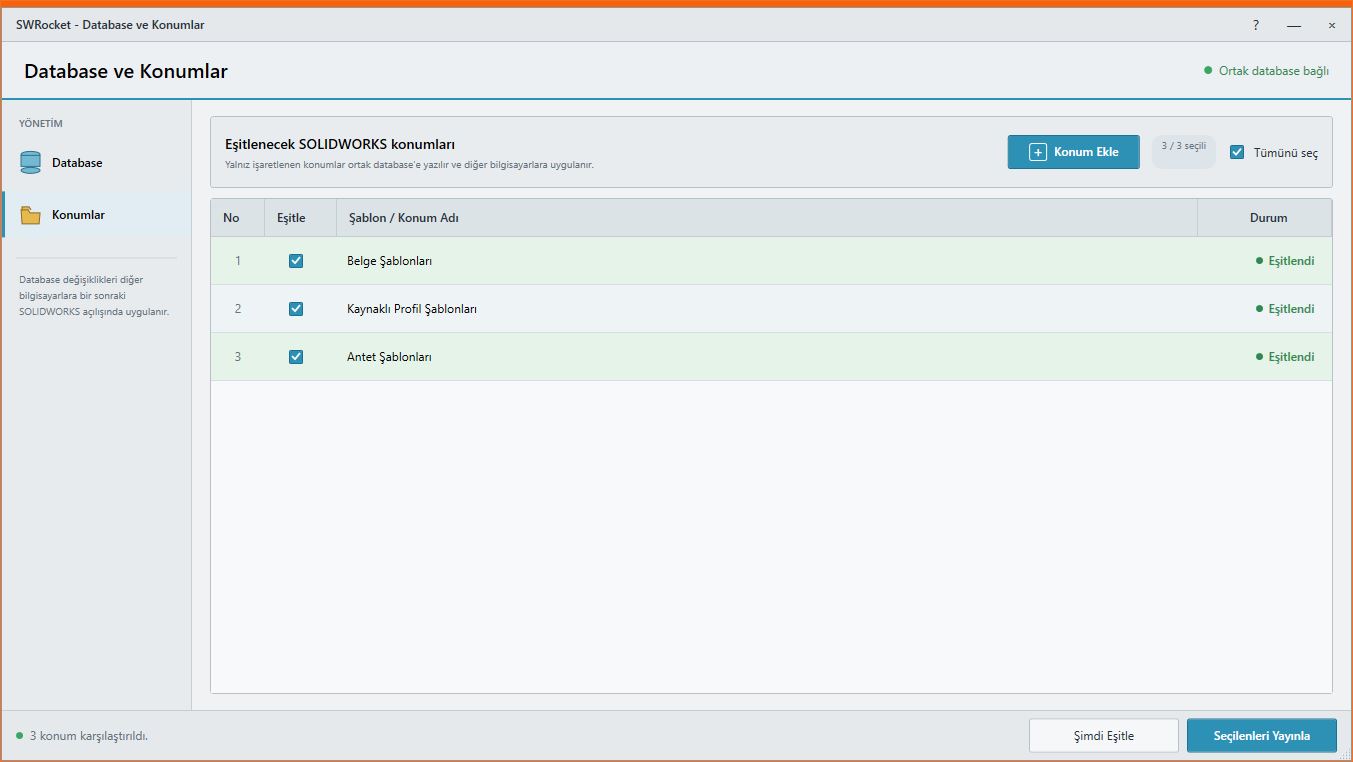 Shared settings · Startup synchronization
Publish a common working standard from one computer and keep the same rules available across the team.
08Subfolders · Fast filters · Persistent indexPre-index production files and find them by file name or type in seconds.
09Library · One-click launch · EditingCollect scattered macro files in one library and access everyday tools directly from Ayense Works.
10Task tracking · Priority · Excel reportRecord engineering-office tasks with descriptions, priorities, status and dates without switching to another application.
11Startup notice · Central management · TrackingPublish important team information through the shared database and optionally display it at application startup.
12Automatic checks · Verified downloads · Always currentAyense Works checks the server for new releases and keeps your installation current with verified setup packages.

Start with an assembly, part or selected components.
Apply your company’s production and output standards.
Receive organized production files and reports.
Use the 7-day trial to evaluate sheet metal export, nesting, profile planning and other engineering-office tools with real documents.
Ayense Works is developed for SOLIDWORKS releases from 2014 through 2026 and future versions. Setup detects the installed SOLIDWORKS release and loads the appropriate components.
Yes. An online license can work offline for 24 hours after the last successful server validation. If the connection is not restored, the license is temporarily disabled and is validated again when connectivity returns.
Production outputs are prepared through a controlled workflow. Documents opened during processing are safely returned to their previous state and user preferences are preserved.
Yes. Custom SOLIDWORKS companion tools, ERP/WMS connections, reports and organization-specific workflows can be delivered as separate projects.
Contact us for a 7-day trial, license options or a custom SOLIDWORKS development project.
Select an annual license, a perpetual license or a workflow tailored to your organization.
Current releases, new improvements and technical support are included throughout the license term.
Perpetual usage rights with maintenance, support and updates included for the first year.
Custom SOLIDWORKS companion tools, ERP/WMS integration and organization-specific workflows.