
 Sheet Nesting
Placement with real sheet-metal contours
← All modulesAyense Works · Sheet Nesting
Create, edit and report sheet layouts using real part contours.
Group contours by material and thickness, place them automatically, refine the layout manually and reopen the project whenever needed.
Central management of sheet sizes, thickness and spacing rules
Reusable Standard Part Library
Manual move, rotate, mirror and validation tools
See the workflow step by step.
Each screen presents the information you need at the right stage of production preparation.
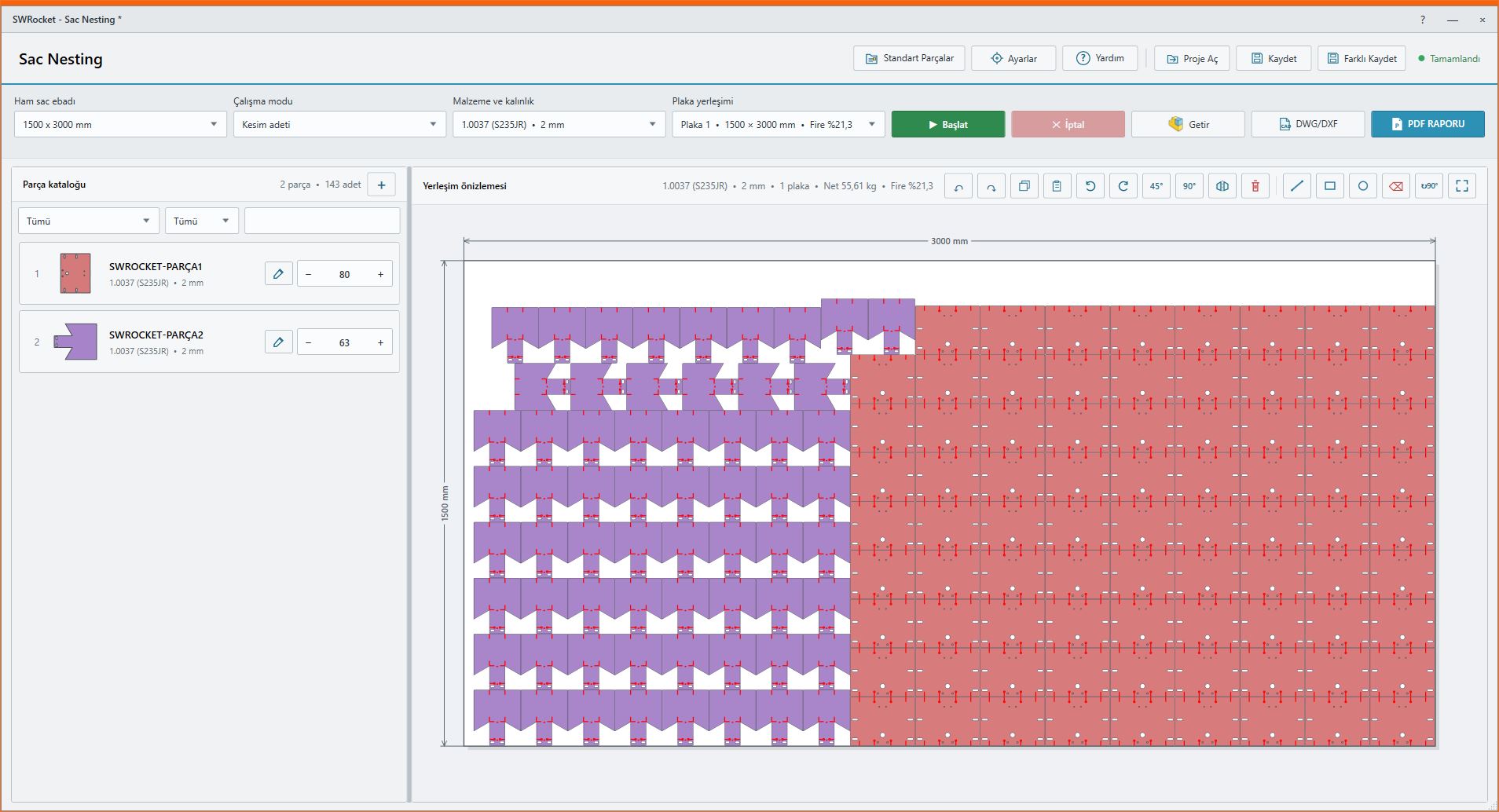
01
Sheet Nesting workspace
Manage the part catalog, sheet layout and production output in one workspace.
Placement with real sheet-metal contours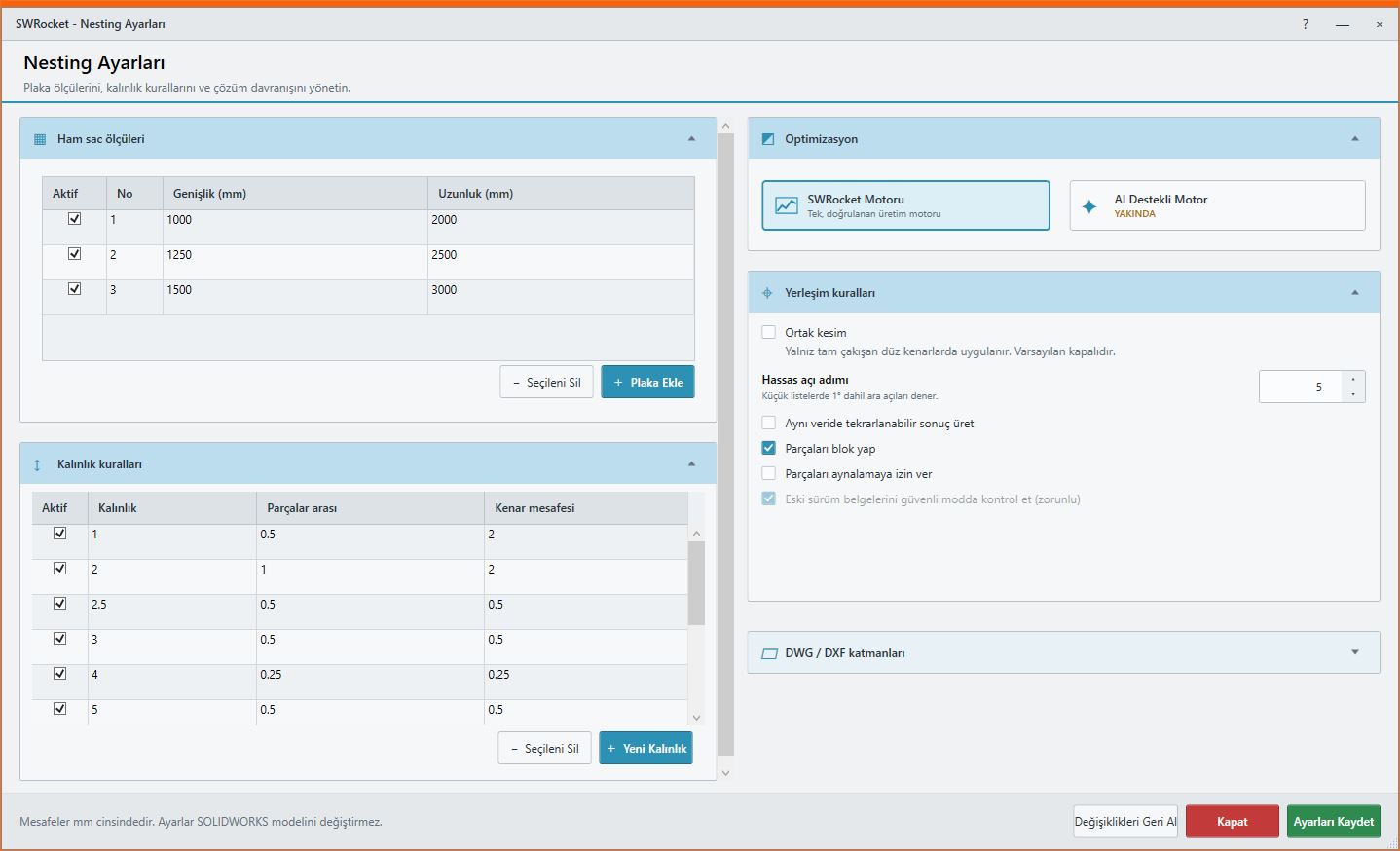
02
Nesting settings
Manage sheet sizes, spacing by thickness, optimization and output rules.
Central management of sheet sizes, thickness and spacing rules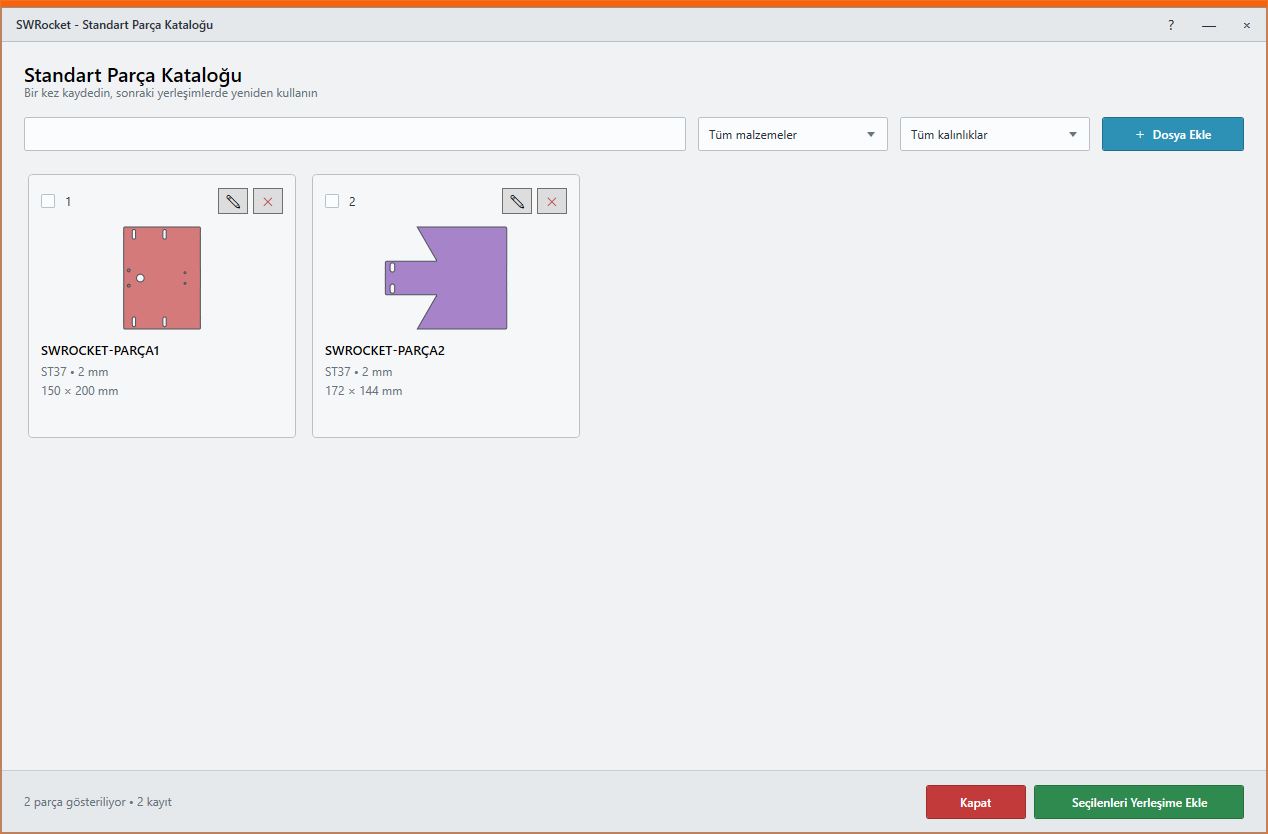
03
Standard Part Library
Save frequently used parts with material and thickness data and add them to future layouts.
Reusable Standard Part Library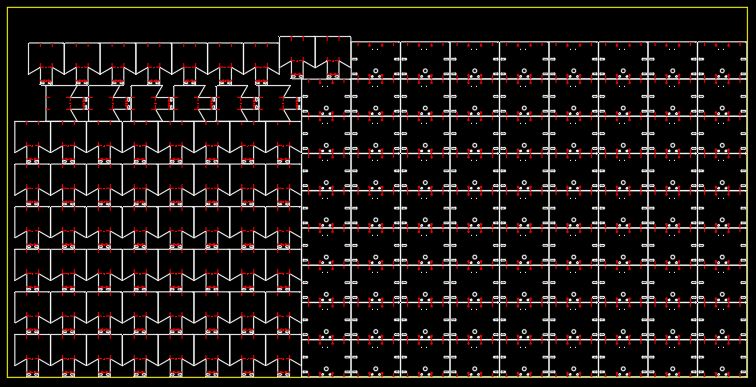
04
Nesting DWG/DXF output
Export completed layouts as production-ready DWG/DXF while preserving cuts, holes and markings.
Manual move, rotate, mirror and validation toolsWORKFLOW
A controlled result in three steps.
Smart placement · Scrap control · Project files
- 1STEP 01Load parts into the catalog
- 2STEP 02Select sheet and placement rules
- 3STEP 03Validate and send the result to production
MEET Ayense Works
Request a trial →