
 Batch Export
IGES, X_T, STEP, PDF, 3D PDF and eDrawings
← All modulesAyense Works · Batch Export
Save assemblies and parts in selected production formats in one operation.
Build an organized output package by selecting formats and a destination instead of saving assembly documents one by one.
Export assemblies together with child parts
Document type, material and status tracking
Organized folders and batch processing
See the workflow step by step.
Each screen presents the information you need at the right stage of production preparation.
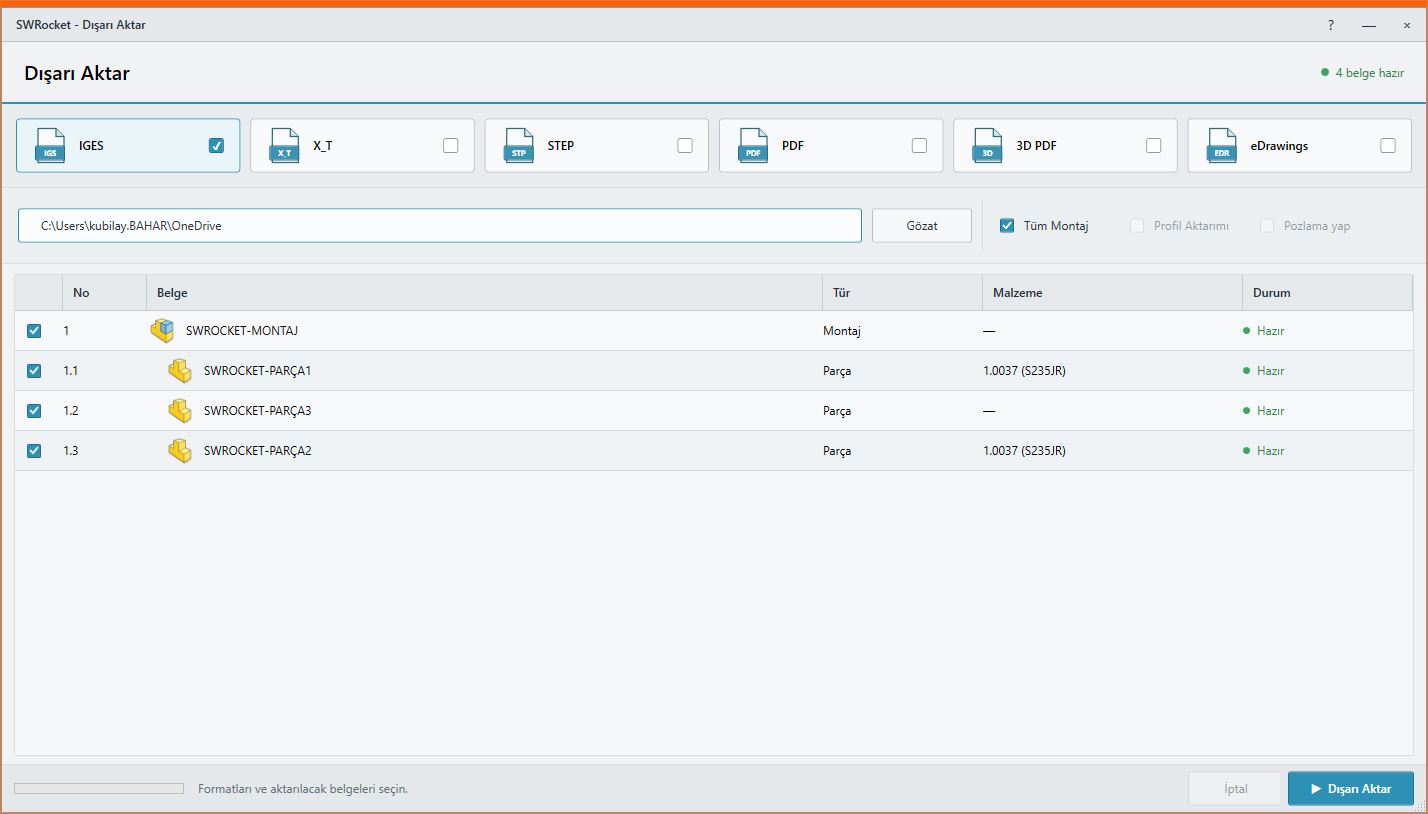
01
Batch Export screen
Manage documents, formats and export status in one list.
IGES, X_T, STEP, PDF, 3D PDF and eDrawingsWORKFLOW
A controlled result in three steps.
STEP · PDF · 3D PDF · eDrawings
- 1STEP 01Select documents
- 2STEP 02Choose formats and destination
- 3STEP 03Create the output package in one operation
MEET Ayense Works
Request a trial →